Coolmath Games Checkers is indisputably one of the most played casual board game adaptations on the web. Millions of students, gamers, and puzzle lovers fire up Coolmath Games every day during school breaks, study halls, or free evenings to enjoy a crisp match of classic checkers. But while Easy and Medium modes provide casual fun, switching the game to Hard Difficulty turns the computer opponent into a relentless, mistake-punishing machine.
If you have ever found yourself locked in a stalemate, watched your pieces get decimated by an unexpected 3-for-1 multi-jump, or wondered whether there is a reliable way to solve tough board positions, this masterclass is for you. In this comprehensive guide, we dissect the internal decision-making heuristics of the Coolmath Checkers AI, unveil three masterclass tactical patterns that dismantle the computer on Hard difficulty, and show you how to use our free in-browser Checkers Solver & Best Move Calculator to scan screenshots and calculate guaranteed winning moves in under 40 milliseconds.
How to consistently defeat the Coolmath Games Checkers AI on Hard:
- Build the Back-Rank Fortress: Do not touch your four home checkers on squares 1, 2, 3, 4 (or 29–32). As long as your home row is occupied, the computer can never crown a King!
- Weaponize Compulsory Jumping: Because captures are strictly mandatory in Coolmath Games, you can sacrifice a single pawn to force the computer into landing squarely in your 2-for-1 or 3-for-1 counter-jump.
- Occupy the Golden Center: Dominate central squares 14, 15, 18, and 19. Never hug the side rim edges unless advancing a protected runner.
- Instant Screenshot Solver: Stuck on a difficult board? Press Ctrl + Show Windows (Chromebook) or Win + Shift + S (PC), paste your board into Next Checkers Move, and get the winning 14-ply move immediately.
How Coolmath Games Checkers Rules & Difficulties Work
The Coolmath Games version of checkers runs on standard American Checkers (English Draughts) specifications. It is played on an 8×8 checkerboard containing 64 squares, where play takes place exclusively on the 32 dark squares. Each player starts with 12 pieces arranged on the three rows nearest to their edge.
Core Mechanics in Coolmath Games Checkers:
- Diagonal Forward Steps: Uncrowned pieces (men) can only move one square forward diagonally into an empty dark space. They can never step backward or sideways.
- Forced Captures (Compulsory Jumps): If an opposing piece is adjacent to yours with an empty square immediately beyond it on the diagonal, you must jump over it and remove it from the board. You cannot make a standard quiet move when a jump is available.
- Multi-Jump Cascades: If the piece lands on a square that can immediately jump another enemy piece, it must continue jumping in the same turn until all consecutive captures are complete.
- Crowning Kings: When a pawn reaches the opponent's farthest back rank (the "King's Row"), it is crowned a King. Kings earn the superpower to move and jump both forward and backward.
Understanding Coolmath's 3 Difficulty Settings
Unlike complex standalone desktop engines, Coolmath Games relies on a browser-based algorithmic opponent calibrated into three distinct skill levels:
- Easy Mode: The AI searches only 1 or 2 moves ahead. It frequently overlooks simple traps, gives up free single captures, and often breaks its back rank early, allowing human players to easily score quick kings.
- Medium Mode: Evaluates 2 to 3 moves deep. It avoids direct one-turn piece gifts and aggressively takes captures, but it lacks long-term structural coordination and often leaves its pieces vulnerable to tactical fork shots.
- Hard Mode: Evaluates 4+ plies into the future with position evaluation weighting. It prioritizes piece count, actively seeks double-jump opportunities, defends its home row stubbornly, and exploits human positional weaknesses ruthlessly.
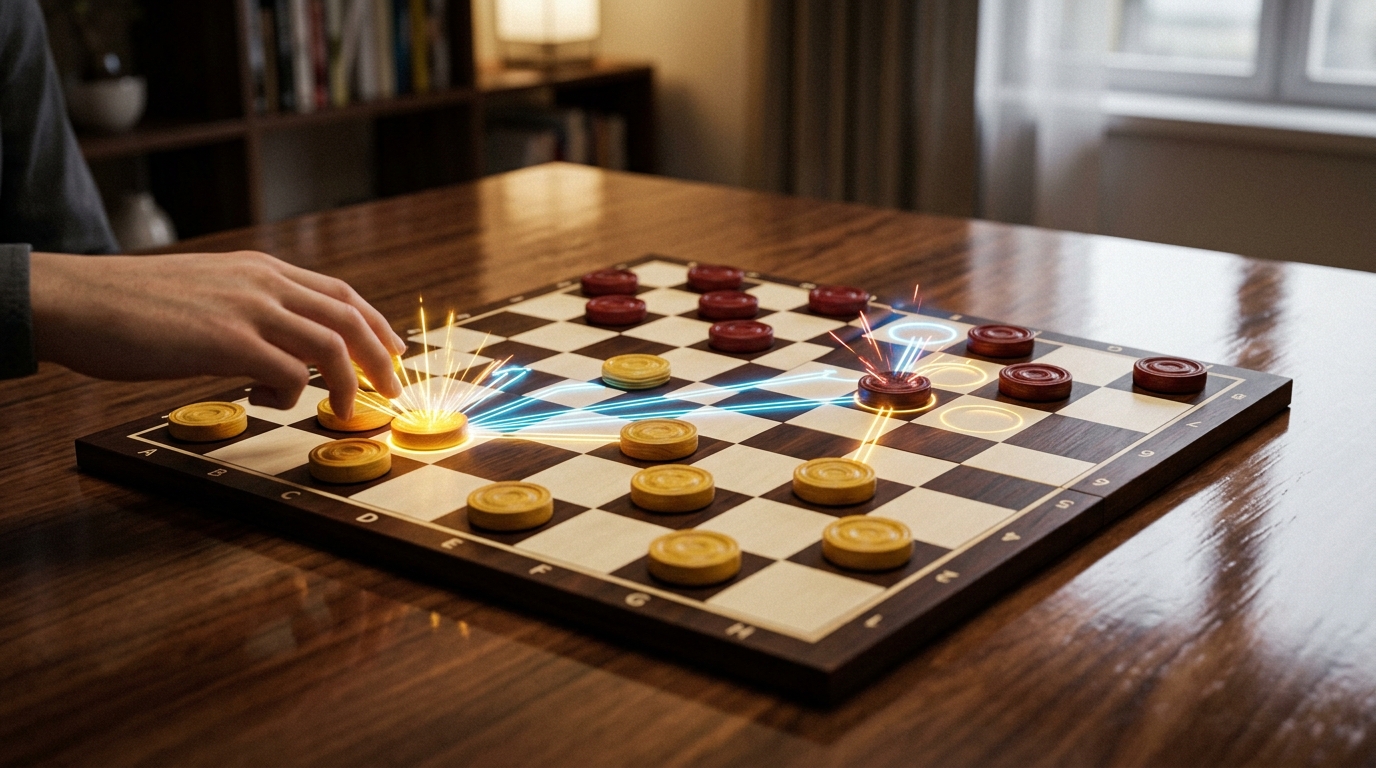
3 Grandmaster Strategies to Beat Coolmath Checkers Hard Mode
1. The "Classroom Fortress": Lock Your Back Row
The single most impactful rule in competitive checkers is: an enemy pawn cannot be crowned King unless it lands on your back row. And if your own pieces are sitting on those squares, that square is legally blocked!
Beginners frequently advance their back-row pieces (squares 1, 2, 3, 4 or 29, 30, 31, 32) forward into the center of the board within the first 6 turns. This leaves massive holes in their defense. The Coolmath Hard AI will quickly slip an advanced runner past your defense and claim a King. A single King in the opening or early middle game is practically an instant loss.
The Winning Rule: Treat your back row as a locked iron gate. Keep all four back-rank checkers completely stationary until the late middle game or endgame, when you need them to chase down the computer's last remnants. While the Coolmath AI exhausts its pawns slamming against your wall, you can maneuver your advanced pieces to pick off its invaders.
2. The Forced Sacrifice Gambit (The 2-for-1 Shot)
Many players view the mandatory jumping rule as a restriction. Grandmasters view it as a weapon. Because the Coolmath AI is legally required to capture whenever possible, you can dictate its moves with 100% certainty!
How to Execute a 2-for-1 Combination in Coolmath Checkers:
- Identify two enemy pieces that are lined up diagonally with an empty square between them.
- Slide one of your pawns into a square directly in front of the enemy piece, deliberately offering it as bait.
- The Coolmath AI is legally forced to jump your bait piece.
- The AI's jumping piece lands squarely on the pre-planned landing square where your waiting checker has a double-jump straight through it and the adjacent enemy piece!
- The Math: You sacrificed 1 piece and captured 2 pieces. You now possess a permanent +1 piece advantage, which guarantees victory in checkers.
3. Dominate the "Golden Center" & Avoid the Side Rim
An old draughts proverb warns: "A checker on the side is a checker in stride; a checker on the rim is a checker that's dim."
Why are edge squares (squares 5, 12, 21, 28) so dangerous? A checker on the edge has only one forward diagonal move option. It cannot maneuver, it cannot support adjacent friendly pieces, and it controls zero central territory.
Conversely, a checker stationed in the central diamond (squares 14, 15, 18, and 19) commands two forward attack angles, controls 4 adjacent squares, and restricts the opponent's mobility. By anchoring your checkers in interlocking diamond formations in the center, you create walls that the Coolmath computer cannot penetrate without suffering disastrous captures.
Grandmaster Secret: The "Dog Hole" Pin
In Coolmath Checkers, keep an eye on square 5 or 28 (the corners near the edge, often called the "dog hole"). If the computer moves into square 5, you can frequently place a piece on square 10 to permanently pin that piece against the side of the board for the rest of the game! A pinned piece is virtually dead, giving you an immediate active player advantage without having to capture it.
How to Solve Any Coolmath Checkers Board with AI Vision
Are you facing a tricky puzzle in Coolmath Games, or stuck in a game against a classmate or the Hard computer where one wrong move means defeat? You don't have to guess or gamble. With Next Checkers Move, you can use state-of-the-art Optical Board Recognition (OBR) and 14-ply Minimax bitboard search to find the mathematical best move instantly.
Step-by-Step Solver Guide:
-
Take a Quick Screenshot:
- On a School Chromebook: Press
Ctrl + Show Windows(the key with a rectangle and two lines above the 6 key). Or pressCtrl + Shift + Show Windowsto crop just the checkerboard. - On Windows: Press
Win + Shift + Sand snip the board. - On Mac: Press
Cmd + Shift + 4and select the board. - On iPad / Tablet: Press Power + Volume Up (or Home) to take a screenshot.
- On a School Chromebook: Press
- Open Next Checkers Move: In another browser tab, open Next Checkers Move (https://nextcheckersmove.com).
-
Click "📷 Scan Board from Screenshot": Simply paste your screenshot with
Ctrl + Vor click to upload the file. Our computer vision AI uses perspective homography to identify all 32 dark squares, detects piece colors, and flags Kings automatically. - Verify the Turn: Toggle whose turn it is (Red or Black). The active player indicator will highlight on screen.
- Instant Winning Calculation: Click Calculate Next Move. Within 40 milliseconds, our Minimax bitboard engine computes up to 14 ply deep and renders an unmistakable blue vector arrow pointing to the optimal move, complete with an evaluation bar showing your winning advantage!
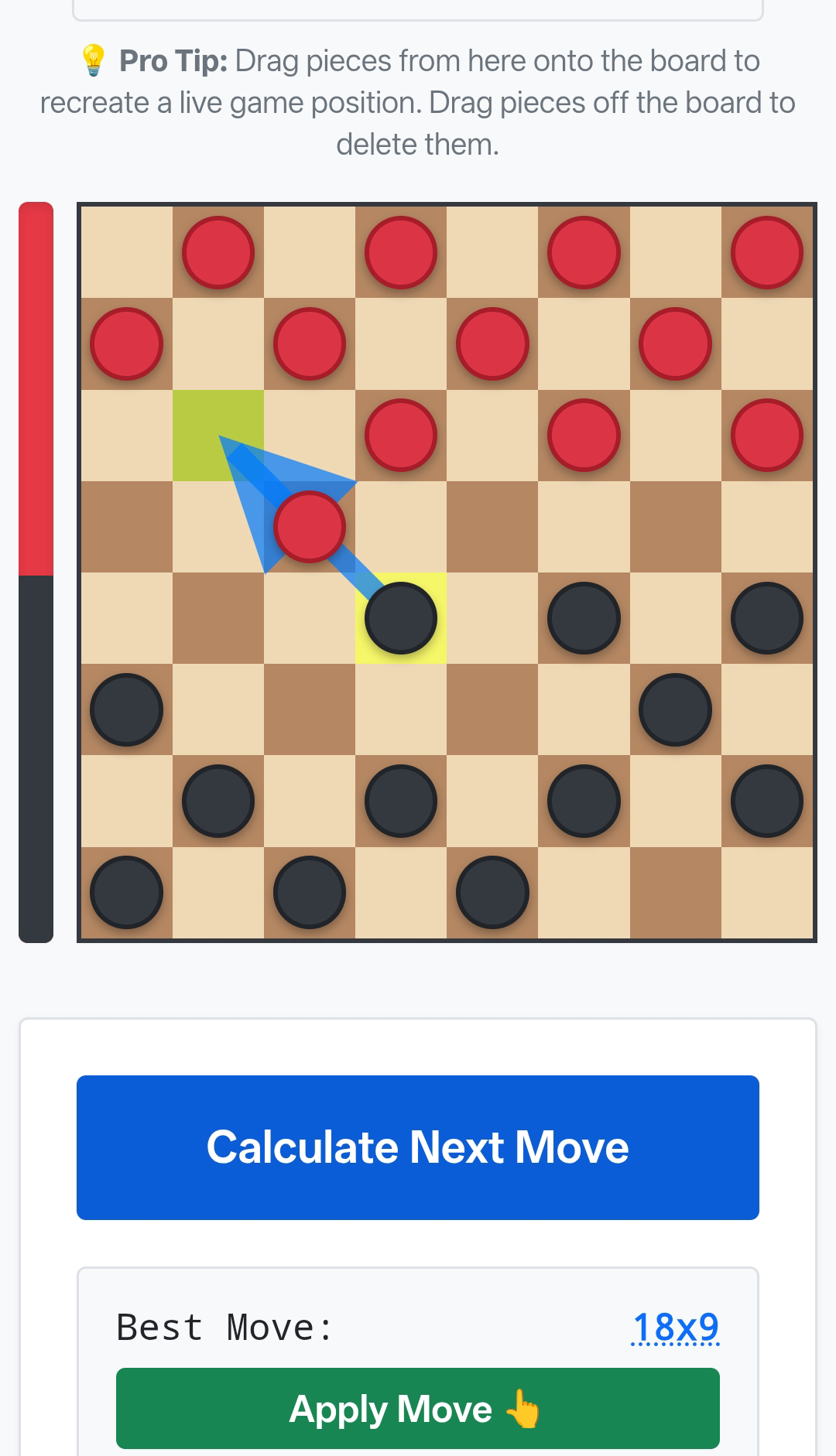
Why Next Checkers Move is Faster & Smarter than Coolmath AI
Coolmath Games is built for lightweight browser execution on school networks and basic Chromebooks. Because of this, its internal AI uses shallow tree depths and basic greedy heuristics.
In contrast, Next Checkers Move is engineered with cutting-edge computational game theory architecture:
- Bitboard Representation: The entire 32-square board state is stored as 32-bit unsigned integers. Bitwise shift operations allow our engine to generate and validate legal moves in under 2 microseconds.
- Quiescence Search: When an exchange or jump sequence occurs, our engine continues searching until the position reaches a "quiet" state, ensuring it never blunders into a delayed counter-sacrifice.
- Alpha-Beta Pruning with Move Ordering: By examining forced jumps and killer promotions first, millions of inferior branches are pruned instantly.
- 100% In-Browser & Zero Latency: Everything runs locally inside a dedicated Web Worker thread on your device. Your game data remains private, with zero server lag or external API calls.
Frequently Asked Questions (FAQ)
Is there a cheat or bot for Coolmath Games Checkers?
Coolmath Games does not feature cheat codes, but you can use Next Checkers Move (https://nextcheckersmove.com) as a real-time move calculator and learning helper. By uploading a screenshot or mirroring the board, you can see the engine's highest-scoring move for any game situation.
What are the best opening moves in Coolmath Checkers?
The most solid opening move for Red (or the starting player) is moving square 11 to 15 (known as the 'Old Faithful' or 11-15 opening). It immediately contests the center, opens diagonal attack avenues, and avoids leaving exposed pawns on the flanks.
Can a King in Coolmath Checkers jump backward and forward in the same turn?
Yes! Once crowned, a King can change directions during a multi-jump cascade. For example, a King can jump forward over one piece and immediately jump backward over another piece in the exact same move, as long as each jump is legally aligned.
Does Next Checkers Move work on school-managed Chromebooks?
Yes! Next Checkers Move is an unblocked, lightweight web application requiring no downloads, no browser extensions, and no account sign-up. It runs natively in Google Chrome on Chromebooks with instant image paste support.
Ready to Beat Coolmath Games Checkers Every Time?
Launch our free in-browser checkers move calculator, scan your Coolmath board with a quick screenshot, and get the winning move in milliseconds.
Launch Checkers Solver & Move Calculator →